iOS app · Coming soon to the App Store
PLUMB
Posture awareness with the AirPods you already wear.
About PLUMB
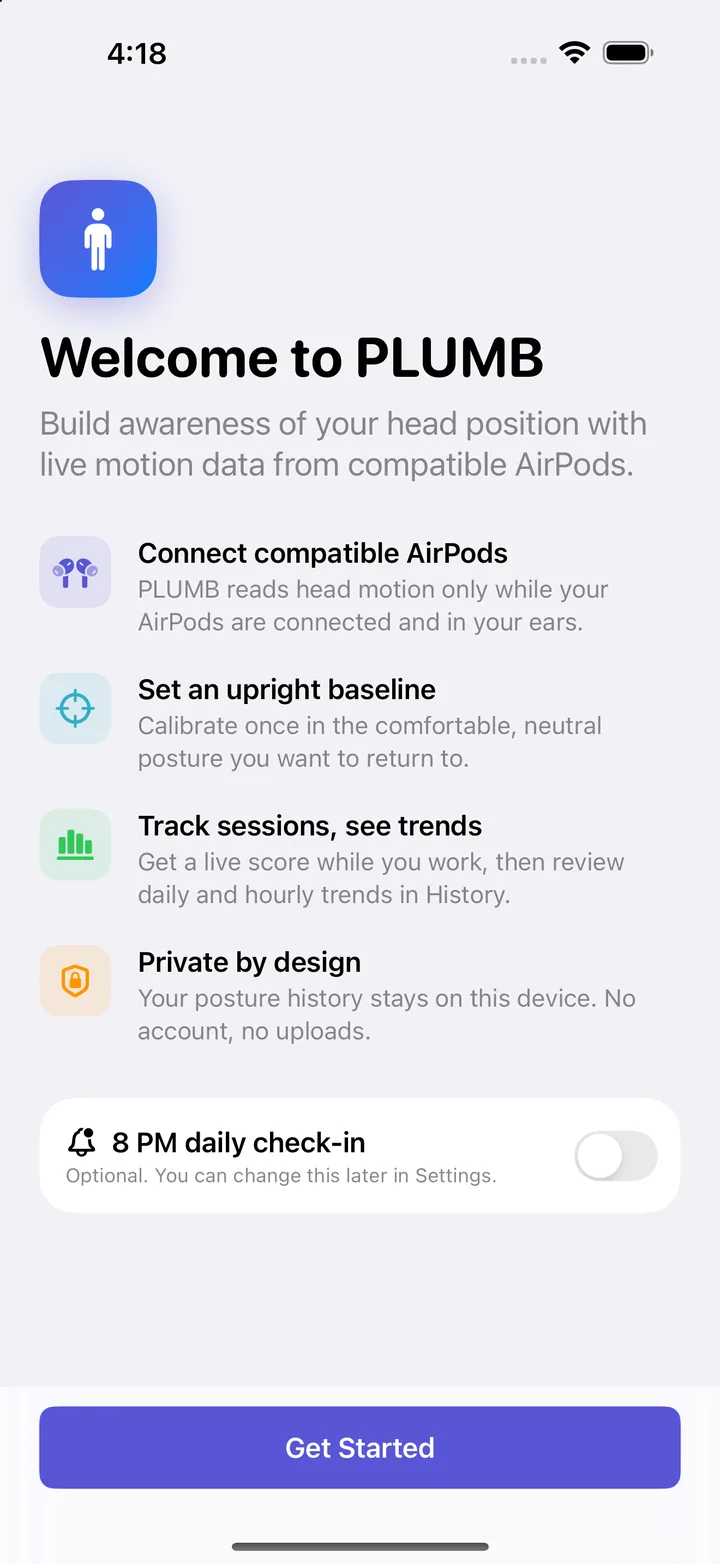
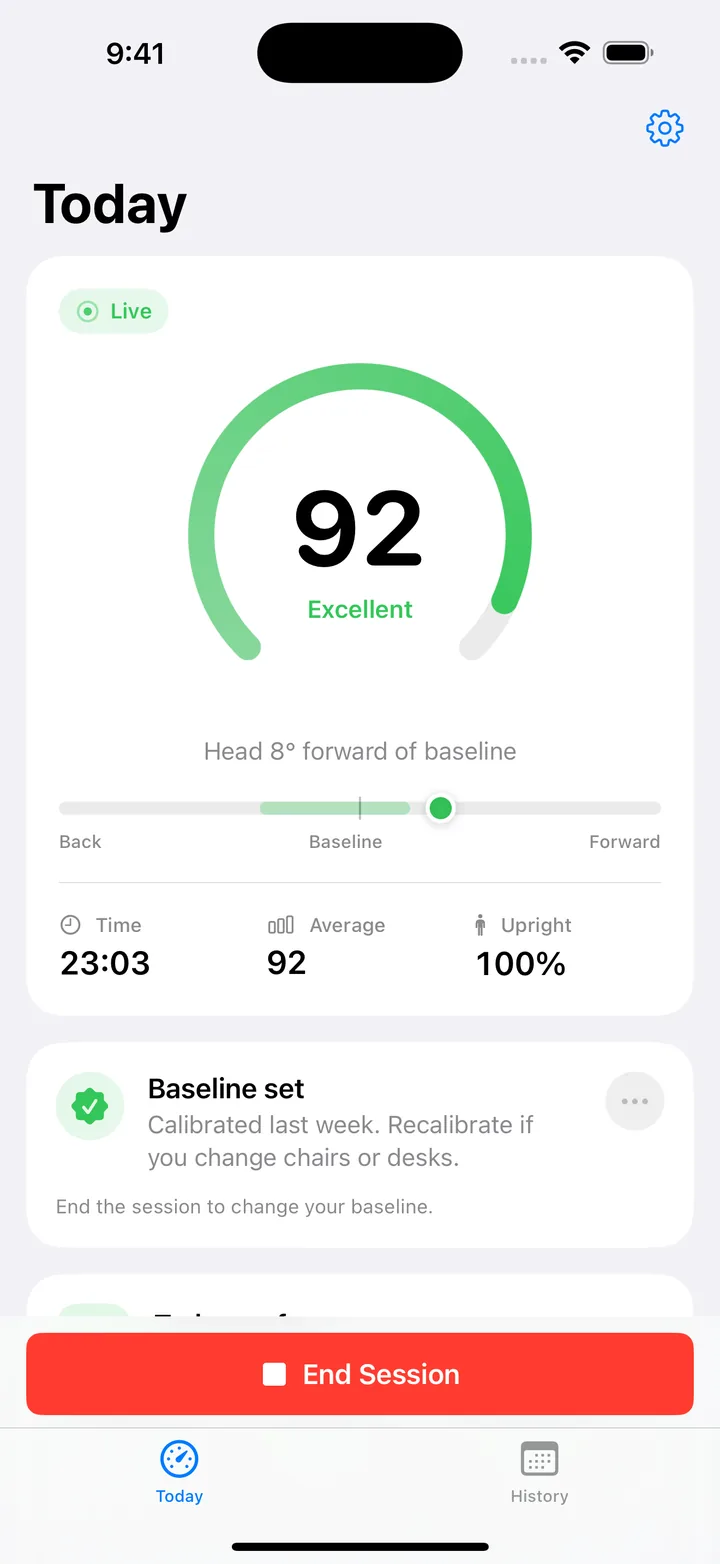
PLUMB uses the motion sensors in compatible AirPods to track your head position while you work. You set a comfortable upright baseline once, and PLUMB gives you a live posture score during each session. Afterwards you can review daily and hourly trends to see when your posture tends to slip.
- Live posture scoreStart a session and see how far your head is from your baseline, with a running score as you work.
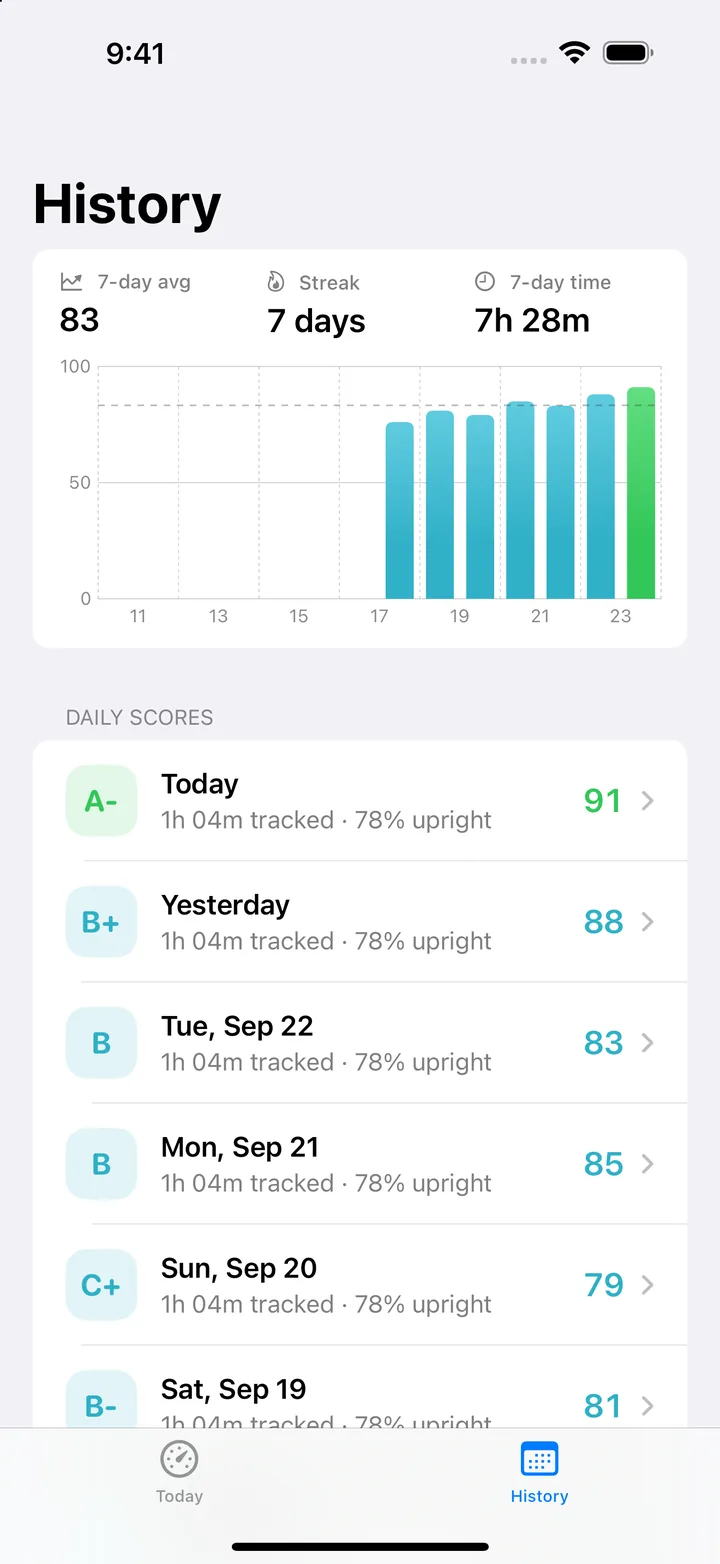
- Daily and hourly trendsHistory shows your daily scores for the last 14 days, upright and slouched minutes, and your best and toughest hours.
- Gentle daily check-inAn optional reminder, 8 PM by default, to review your trend. You can change the time or turn it off.
- Private by designNo account and no uploads. Your posture history stays on your device.
Requirements
- An iPhone or iPad running iOS 17 or iPadOS 17 or later.
- AirPods with motion sensors, such as AirPods (3rd generation) or later, AirPods Pro, or AirPods Max.
- Permission to use Motion & Fitness data. PLUMB asks for it the first time it reads your AirPods motion.
Getting started
- Put in your AirPods and open PLUMB.
- On the Today tab, tap Calibrate Now. Sit or stand tall, relax your shoulders, and look straight ahead while PLUMB measures for three seconds.
- Tap Start Session and keep PLUMB open while you work.
- End the session when you're done. Your score is added to the History tab.
Recalibrate whenever you change chairs or desks, so your score is measured against how you actually sit.
Help & troubleshooting
Why did my session pause?
iOS only delivers AirPods motion while PLUMB is open, so a session pauses when you leave the app or your screen locks, and resumes when you come back. It also pauses if your AirPods are removed, then resumes on its own when they're back in your ears. To stop auto-lock from pausing a session, turn on Keep screen awake in PLUMB's Settings (the gear on the Today tab). This uses more battery.
PLUMB says no AirPods motion is arriving.
Check that your AirPods are connected and in both ears, and that your model has motion sensors (see Requirements). Then tap Resume. If it still doesn't work, put your AirPods back in the case for a few seconds and try again.
PLUMB says Motion access is off.
Open the iOS Settings app, go to Privacy & Security › Motion & Fitness, and turn on PLUMB. If the setting is restricted (for example, by Screen Time or a device management profile), it has to be allowed there first.
Calibration keeps failing.
Calibration needs about three seconds of steady readings. Make sure both AirPods are in, sit tall, look straight ahead, and hold still until the countdown finishes. If your head moves during the countdown, PLUMB asks you to try again.
How is my score calculated?
Every second, PLUMB compares your head angle with your baseline. Staying within a comfortable range of it scores full marks. Tipping your head forward lowers the score, and tipping it well back lowers it a little. During a session you see your running average. Your daily score combines that average with your toughest stretches of the day and maps to a letter grade from A to F.
How do I change or turn off the daily reminder?
Tap the gear on the Today tab and use the Daily check-in toggle and time picker. If PLUMB says notifications are turned off, allow them in the iOS Settings app under Notifications › PLUMB.
How do I delete my data?
To delete a single day, swipe left on it in the History tab. To delete everything, open Settings in PLUMB (the gear on the Today tab) and tap Delete All History. Deleting the app also removes all of its data from your device.
Can I use Siri or Shortcuts?
Yes. Say "Show my posture score in PLUMB" or "Show posture history in PLUMB", or use the Open Today and Open History actions in the Shortcuts app.
Is PLUMB a medical device?
No. PLUMB is meant to build awareness of your head position. It doesn't diagnose, treat, or prevent any condition. If you have pain or a medical concern, talk to a doctor or physical therapist.
Contact support
Questions, bug reports, and feedback are all welcome. Email adamrcarter@gmail.com and I'll get back to you as soon as I can.
It helps to include your iPhone or iPad model, iOS version, AirPods model, and the PLUMB version shown at the bottom of PLUMB's Settings.
Privacy policy
Effective date: June 8, 2026
PLUMB is a posture-tracking app that uses motion information from compatible AirPods to help you understand posture trends over time.
Information the app uses
PLUMB uses device motion from compatible AirPods to measure head-position changes during tracking sessions.
Data storage
PLUMB stores posture history locally on your device. The app does not require an account, and it does not send posture history or motion data to a server controlled by PLUMB.
Third-party sharing
PLUMB does not sell personal data and does not share posture history with advertisers or data brokers.
Contact
For privacy questions, contact adamrcarter@gmail.com.